> For the complete documentation index, see [llms.txt](https://aenosh-rajora.gitbook.io/cyber-codex/llms.txt). Markdown versions of documentation pages are available by appending `.md` to page URLs; this page is available as [Markdown](https://aenosh-rajora.gitbook.io/cyber-codex/the-osint-hackers-cheat-sheet-in-2025.md).
# The OSINT Hacker’s Cheat Sheet in 2025
> In a world drowning in public data, the real edge isn’t access — it’s knowing how to transform raw noise into intelligence that matters.
***
## Overview
Open Source Intelligence (OSINT) is now a core discipline for cybersecurity, threat hunting, and investigative journalism.
Modern OSINT demands not only mastery of reconnaissance tools but also **AI-driven analytics, automation dashboards, and strong operational security**. This guide walks through the OSINT methodology, hands-on commands, AI integrations, and the powerful **OSINTel-Dashboard v2.0**.
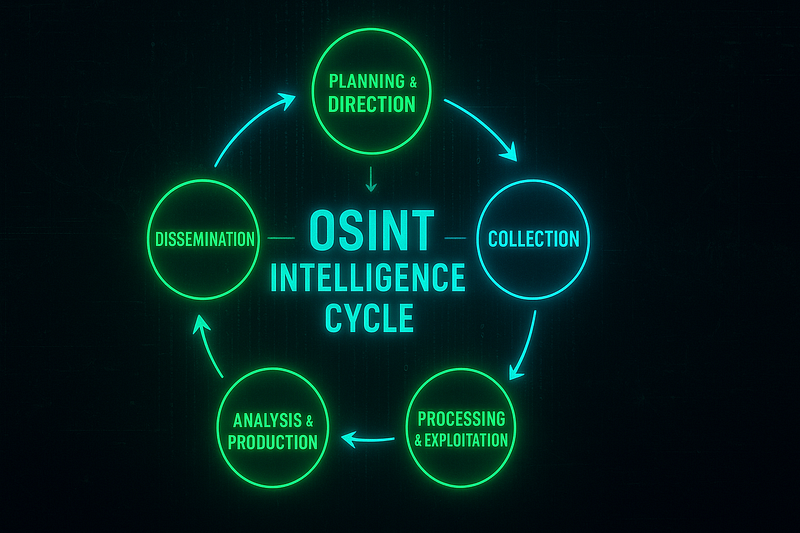
## The OSINT Intelligence Cycle
Effective OSINT follows a structured intelligence process:
1. **Planning & Direction:** Define intelligence objectives, legal/ethical boundaries, and operational security (OPSEC).
2. **Collection:** Systematic acquisition of public data (domains, APIs, social media, dark web).
3. **Processing & Exploitation:** Normalizing, enriching, and correlating raw data.
4. **\Analysis & Production:** Identifying patterns, relationships, and risk.
5. **Dissemination:** Delivering actionable intelligence in reports or dashboards.
#### Tool Arsenal and Commands with Descriptions
## Tool Arsenal and Commands Reference
### Web Enumeration & Infrastructure Discovery
* [**Gobuster:**](https://github.com/OJ/gobuster) Fast directory, DNS, and virtual host brute-forcer to discover hidden web resources and subdomains.
```
gobuster dir -u https://target.com -w /path/wordlist.txt
gobuster vhost -u target.com -w vhosts.txt
gobuster dns -d target.com -w subdomains.txt
```
* [**Dirb:**](https://www.kali.org/tools/dirb/) Simple web content scanner that brute-forces directories and files using pre-built wordlists.
```
dirb https://target.com /usr/share/dirb/wordlists/common.txt
dirb https://target.com -r
dirb https://target.com -X .php, .html
```
* [**Dirbuster (GUI):**](https://www.kali.org/tools/dirbuster/) Java-based GUI for multi threaded directory and file brute-forcing against web servers.
* [**Nmap:**](https://nmap.org/) Versatile network scanner for port discovery, service fingerprinting, and vulnerability detection.
```
nmap -sV target.com
nmap -A -p- target.com
nmap --script http-enum target.com
```
### Domain Intelligence & Subdomain Enumeration
* [**theHarvester:**](https://github.com/laramies/theHarvester) Gathers emails, subdomains, hosts, and IPs from search engines, PGP key servers, and APIs.
```
theHarvester -d example.com -b all -l 500 -f results
```
* [**Sublis3r:**](https://github.com/aboul3la/Sublist3r) Rapid subdomains enumerator leveraging multiple search engines for passive discovery.
```
sublist3r -d example.com -o subs.txt
```
* [**Amass:**](https://github.com/owasp-amass/amass) Powerful framework for passive/active asset discovery, mapping subdomains and infrastructure relationships.
```
amass enum -passive -d example.com
```
* [**Censys CLI**](https://search.censys.io/)**:** Searches Censys datasets for certificates, hosts, and services across the global internet.
```
censys search 'services.service_name:HTTP and ip:target_ip'
```
### Network and Service Enumeration
* [**Shodan:**](https://www.shodan.io/) Internet-wide search engine to find exposed devices, services, and vulnerabilities by keywords or CVE.
```
shodan search "apache country:US"
```
* [**Masscan:**](https://github.com/robertdavidgraham/masscan) Ultra-fast port scanner capable of scanning the entire internet in minutes.
```
masscan 192.168.0.0/15 -p1-65535 --rate=10000
```
### Social Media Intelligence (SOCMINT)
* [**Sherlock:**](https://github.com/sherlock-project/sherlock) Checks for the presence of a given usernmae across hundreds of social networks and platforms.
```
python3 sherlock username
```
* [**Maigret:**](https://github.com/soxoj/maigret) Multi-platform profiler that searches thousands of websites for accounts linkedin to a username.
```
python3 migret username --html
```
* [**Osintgram:**](https://github.com/Datalux/Osintgram) Instagram OSINT toolkit to gather followers, hashtags, media, and profile metadata.
```
python3 main.py -u target_username
```
* [**Twint:**](https://github.com/twintproject/twint) Twitter scraper that collects tweets, followers, and analytics withotu requiring API keys.
```
twint -u username
```
### Automated Reconnaissance Frameworks
* [**Recon-ng:**](https://github.com/lanmaster53/recon-ng) Modular reconnaissance environment with workspaces, marketplace modules, and built-in database.
```
recon-ng
```
* [**SpiderFoot:**](https://github.com/smicallef/spiderfoot) Automated footprinting tool with 200+ modules for domain, IP, and dark web intelligence.
```
spiderfoot -l 127.0.0.1:5001
```
* [**Maltego:**](https://www.maltego.com/) Graph-based link analysis platform for visualizing relationships across domains, emails, and social networks.
### Image, Video & Metadata Intelligence
* **ExfiTool:** Reads and writes image/video metadata such as GPS coordinates, camera details, and timestamps.
```
exfitool image.jpg
```
* [**Tesseract OCR:**](https://github.com/tesseract-ocr/tesseract) Optical Character Recognition engine to extract text from images and scanned documents.
```
tesseract image.png output.txt
```
* OpenCV Python (Face Recognition): Library to detect, locate, and compare face in images for identification or clustering.
### Threat Intelligence & Dark Web
* [**H8mail:**](https://github.com/khast3x/h8mail) Finds email breaches and password leaks using multiple public and premium breach sources.
```
h8mail -t email@example.com
```
* [**OnionSearch:**](https://github.com/megadose/OnionSearch) Searches dark web .onion sites for keywords, leaks, or illicit content.
```
python3 onionsearch.py --query "target"
```
* [**TorBot:**](https://github.com/DedSecInside/TorBot) Crawler for Tor hidden services that indexes and searches onion content for intelligence.
```
python3 torbot.py -s "keyword"
```
### Mobile Forensics
* **Mobile Verification Toolkit (MVT):** Detects spyware and analyzes iOS/ Android backups for compromise indicators.
```
mvt-ios check-backup --output results/ /path/to/backup
```
* **Autopsy:** Digital forensics platforms for timeline analysis, file recovery, and artifact extraction from disk images.
## AI-Enhanced & Advanced Techniques
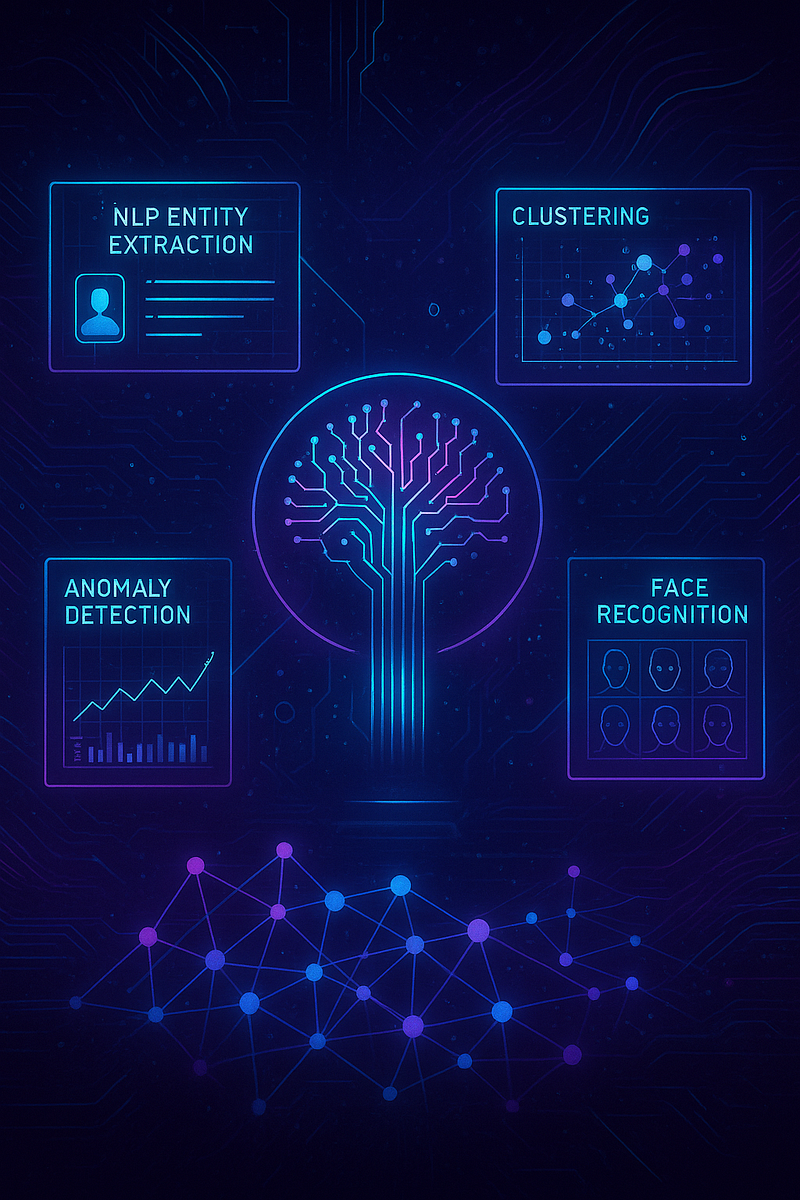
* **spaCy:** High-performance NLP library for entity extraction, text parsing, and linguistic analysis.
* **scikit-learn:** Machine learning toolkit for clustering, anomaly detection, and predictive modelling of OSINT data.
* **TextBlob:** Simplified Python library for sentiment analysis and language processing.
* **Transformers (Hugging Face):** Framework for running large language models for summarization, classification, or translation.
* **NetworkX:** Python library for building and analysing relationship graphs and network connections.
## Automation with OSINTel-Dashboard
OSINTel-Dashboard v2.0 is a next-generation automation hub that brings all these tools together.
{% embed url="" %}
### Key Features:
* **Preconfigured 43 Tools** spanning reconnaissance, enumeration, social media, metadata, and dark web.
* **Dynamic Gradient UI** with two themes (black and white), each featuring multiple color gradients for a sleek experience.
* **Multiple Tools per Process:** e.g. several subdomains finders, metadata extractors, and reconnaissancec modules.
* **History Tracking with Git-like Recall:** revisit any pass command by clicking it in the history list to instanly rerun or modify.
* **Full Customization:** add, edit, or delete tools; create custom commands tailored dto unique investigations.
* **Two-Theme Switching:** switch between black or white gradient themes instantly.
### Setup
```
git clone https://github.com/aenoshrajora/OSINTel-Dashboard.git
cd OSINTel-Dashboard
python3 -m venv venv
source venv/bin/activate
pip install -r requirements.txt
```
Configure API keys in `.env`, then run:
```
python app.py
```
Access the dashboard at `http://127.0.0.1:5001`.
### Workflow
1. Choose a theme and gradient.
2. Select one of the 43 built-in tools or a custom module.
3. Input target parameters (domain, IP, username, etc.).
4. View results instantly with rich formatting.
5. Return to any previous command from the history list to repeat or modify.
6. Add your own tools or delete default ones for a fully personalized setup.
## Secure Investigation Environments
OSINT investigations must protect both the analyst and collected evidence.
### Environment Isolation
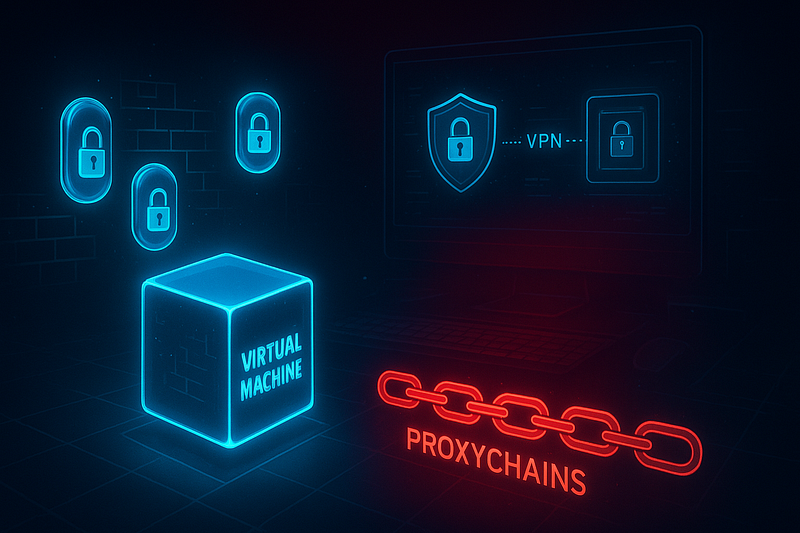
* **Virtual Machines** — run investigations inside isolated Kali/Ubuntu VMs with snapshots for easy rollback.
* **Docker Containers** — package and run tools individually for process-level isolation.
### Network Anonymization
* **VPNs & Tor** — mask your IP and provide multi-hop anonymity.
* **ProxyChains** — route traffic through chained proxies for additional obfuscation.
### System Hardening
* Apply **UFW** or `iptables` firewalls to control traffic.
* Use **AppArmor** or **SELinux** to sandbox applications.
* Operate as a **non-root user** to limit privileges.
### Data Security
* Encrypt evidence at rest (LUKS, VeraCrypt).
* Maintain cryptographic hashes (SHA256) for collected files.
* Store logs and outputs in access-controlled directories.
### OPSEC
* Use disposable identities and browser profiles for each engagement.
* Never mix personal accounts with investigative activities.
* Keep detailed, timestamped notes of all findings.
## Final Thought:
By mastering these tools, commands, and secure practices — and by leveraging automation through **OSINTel-Dashboard v2.0** — analysts can convert the flood of public data into actionable intelligence with speed, accuracy, and safety.
> “Master the cycle, wield the tools, and automate the grind — because in OSINT, speed and precision aren’t just advantages, they’re survival.”
---
# Agent Instructions
This documentation is published with GitBook. GitBook is the documentation platform designed so that both humans and AI agents can read, navigate, and reason over technical content effectively. Learn more at gitbook.com.
## Querying This Documentation
If you need additional information that is not directly available in this page, you can query the documentation dynamically by asking a question.
Perform an HTTP GET request on the current page URL with the `ask` query parameter, and the optional `goal` query parameter:
```
GET https://aenosh-rajora.gitbook.io/cyber-codex/the-osint-hackers-cheat-sheet-in-2025.md?ask=&goal=
```
`ask` is the immediate question: it should be specific, self-contained, and written in natural language.
`goal` is optional and describes the broader end goal you are ultimately trying to accomplish on behalf of the user. GitBook uses it to tailor the answer towards what is most useful for that goal.
The response will contain a direct answer to the question and relevant excerpts and sources from the documentation.
Use this mechanism when the answer is not explicitly present in the current page, you need clarification or additional context, or you want to retrieve related documentation sections.